
Create Once. Export Anywhere.
Transform exam questions into stunning PDFs with one click. Toggle answers on or off. Upload resources. Build a complete learning library. All automated, all beautiful, all effortless.
Powerful Export Capabilities
Export questions, upload resources, and deliver everything learners need
Question PDF Export
Export exam questions as beautifully formatted PDFs with or without answer keys - perfect for practice tests and study materials
Resource Library
Upload resources for each certification, title them, and drag-and-drop study materials. Learners download everything from the LMS
Unified Access
When users view a certification, they can download all related materials in one place - questions, answers, and resources organized seamlessly
Instant Availability
All PDFs are automatically formatted and ready to download - no manual work required
Complete PDF Export Suite
Auto-generate beautifully formatted question PDFs with toggleable answer keys, plus upload unlimited study guides and resources - everything learners need in one organized library
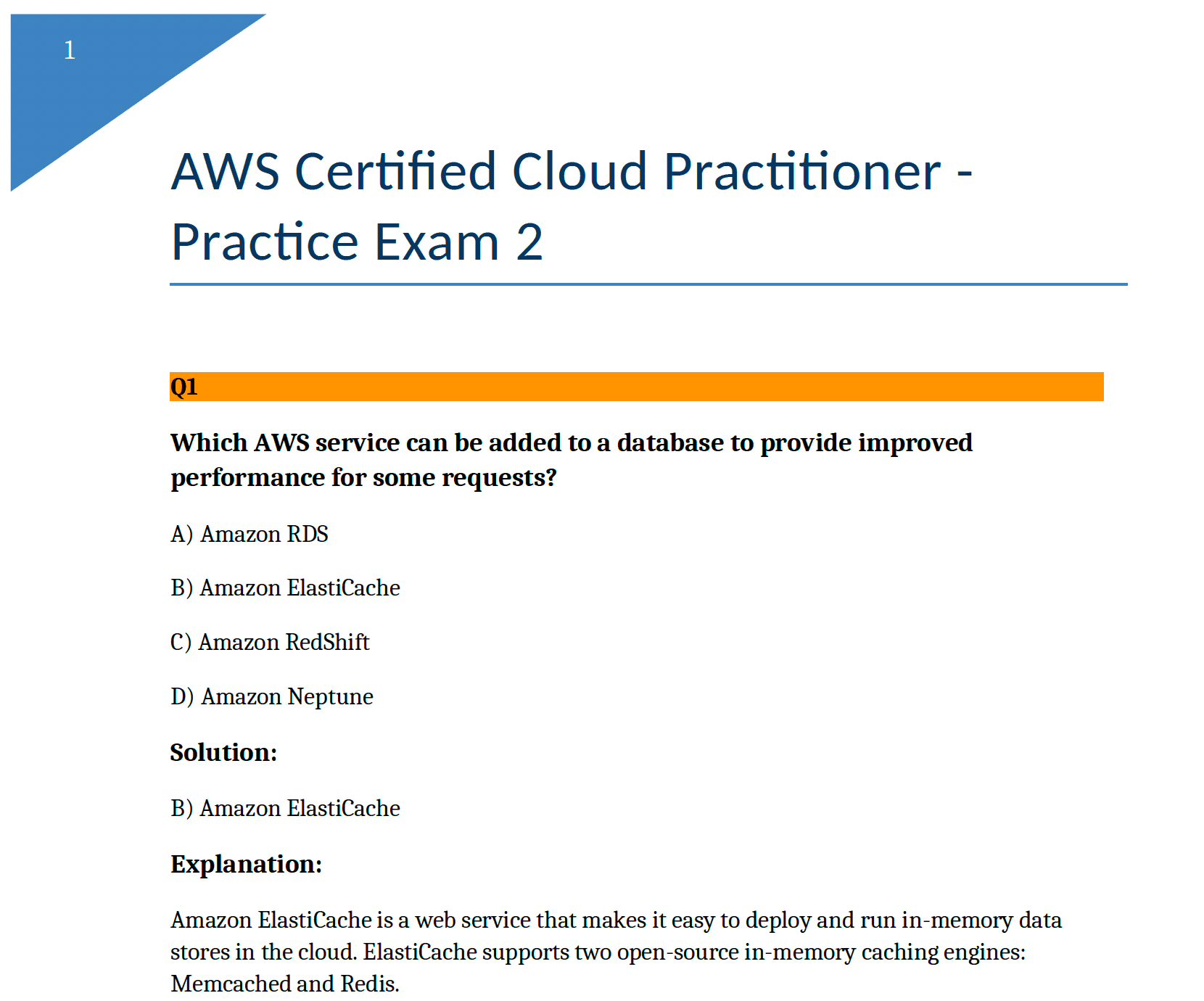
Question PDFs
Export beautifully formatted questions with or without answer keys - perfect for creating practice exams, study materials, or assessment prep
Resource Library
Upload study guides, reference materials, instructions, and any other content for each certification. Title your resources and drag-and-drop study materials directly into the platform. Learners can download all resources from the LMS in one organized place.
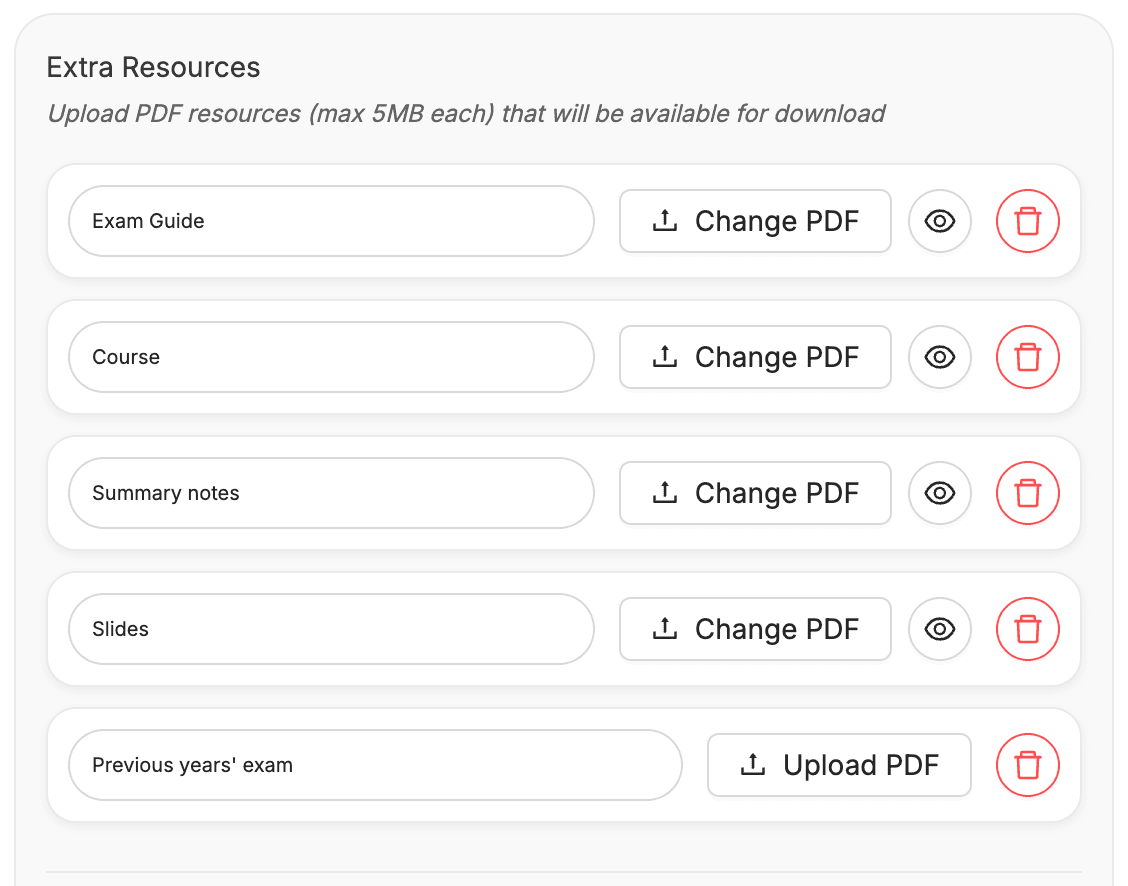
Endless Use Cases
From practice tests to comprehensive resource libraries

Practice Exams
Export questions without answers for realistic test simulation
Study Resources
Share answer keys, guides, and reference materials
Complete Packages
Bundle questions and resources for comprehensive learning
Transform How You Share Exam Content
Professional PDF exports + comprehensive resource management
Get Started Free